
Async Python for AI Applications: When It Actually Matters
Learn when async Python actually matters for AI applications: multi-user systems, genuine parallelism cases, and production patterns.

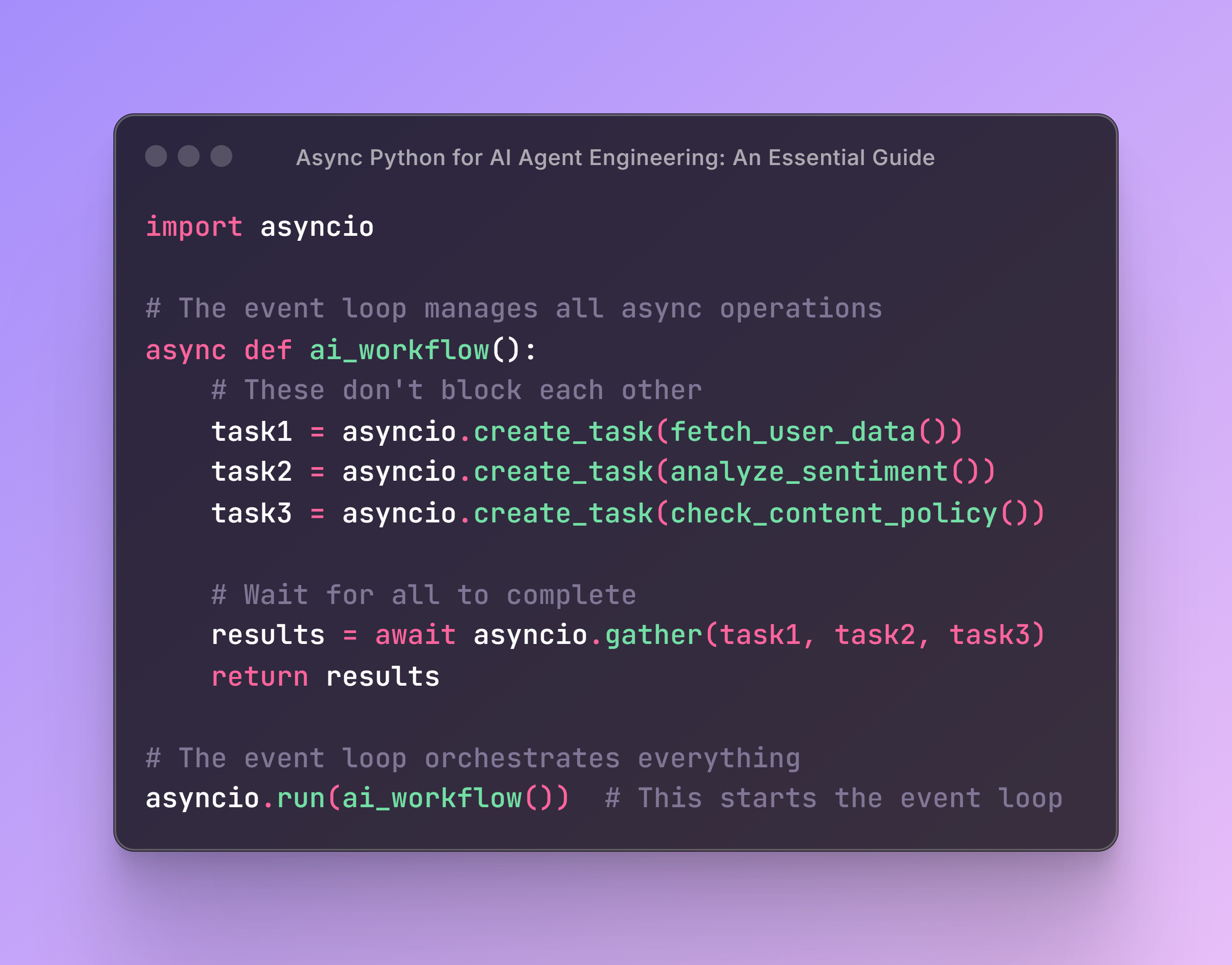
After building many AI applications, I've learned that async Python is essential for production AI systems—but not for the reasons most tutorials suggest.
Let me clear up the confusion about when async actually helps your AI applications and when it's just adding complexity for no benefit.
The Real Question: Single User vs Multi-User Systems
The difference between needing async and not needing it comes down to one crucial question: Are you building something that serves multiple users simultaneously?
Single-User Script: Async Adds No Value
# Simple script that processes one request and exits
def analyze_document(file_path):
    content = read_file(file_path)                    # 1 second
    summary = call_openai_api(content)                # 5 seconds
    sentiment = analyze_sentiment_api(summary)        # 3 seconds
    save_results(summary, sentiment)                  # 1 second
    # Total: 10 seconds, and that's fine!

if __name__ == "__main__":
    analyze_document("report.pdf")
Why async doesn't help here: Your thread is blocked during API calls, but there's literally nothing else for your computer to do. The script runs once and exits.
Multi-User Application: Async Is Essential
# FastAPI web application serving multiple users
from fastapi import FastAPI
app = FastAPI()

@app.post("/analyze")
async def analyze_document(content: str):
    summary = await call_openai_api(content)          # 5 seconds
    sentiment = await analyze_sentiment_api(summary)  # 3 seconds
    return {"summary": summary, "sentiment": sentiment}

# What actually happens:
# User A uploads doc → waits for OpenAI (5s) → while waiting...
# User B uploads doc → starts processing immediately
# User C uploads doc → also starts processing immediately
# All users get responses around the same time instead of waiting in line
Why async helps: While User A waits for the OpenAI API, your server can start processing Users B, C, D, etc. Without async, each user waits for the previous user to completely finish.
The Fundamental Difference: Sync vs Async in Action
Before diving into real-world scenarios, let's understand the core concept with a simple example. Here are two identical programs that perform the same three tasks:
Synchronous Version (Sequential Execution)
import time

def process_request(name, delay):
    time.sleep(delay)  # Simulate waiting for API response
    print(f"Request {name} completed after {delay}s")
    return f"Result from {name}"

def main():
    start_time = time.time()
    results = []
    results.append(process_request("Task_1", 2))
    results.append(process_request("Task_2", 3))
    results.append(process_request("Task_3", 1))

    end_time = time.time()
    print(f"All tasks completed in {end_time - start_time:.1f} seconds")
    print(f"Results: {results}")

if __name__ == "__main__":
    main()
Output: All tasks completed in 6.0 seconds (2 + 3 + 1 = 6 seconds total)
Asynchronous Version (Concurrent Execution)
import asyncio
import time

async def process_request(name, delay):
    await asyncio.sleep(delay)  # Simulate waiting for API response
    print(f"Request {name} completed after {delay}s")
    return f"Result from {name}"

async def main():
    start_time = time.time()
    results = await asyncio.gather(
        process_request("Task_1", 2),
        process_request("Task_2", 3),
        process_request("Task_3", 1)
    )

    end_time = time.time()
    print(f"All tasks completed in {end_time - start_time:.1f} seconds")
    print(f"Results: {results}")

if __name__ == "__main__":
    asyncio.run(main())
Output: All tasks completed in 3.0 seconds (tasks run concurrently, so total time = longest task = 3 seconds)
The difference: Async version completes in half the time because all three tasks run simultaneously instead of waiting for each other.
But here's the crucial question: When do you actually have three independent tasks like this in real AI applications? Let's explore when this fundamental advantage actually matters in practice.
The Performance Impact: Real Numbers
Let's see this with actual timing:
Synchronous Web Server (Bad UX)
User A requests analysis → Server busy for 8 seconds → User A gets response
User B requests analysis → Waits 8 seconds → Server busy for 8 seconds → User B gets response
User C requests analysis → Waits 16 seconds → Server busy for 8 seconds → User C gets response

Total wait times: User A: 8s, User B: 16s, User C: 24s
Asynchronous Web Server (Good UX)
User A requests analysis → Waits ~8 seconds → Gets response
User B requests analysis → Waits ~8 seconds → Gets response (overlapped with A)
User C requests analysis → Waits ~8 seconds → Gets response (overlapped with A & B)

Total wait times: User A: 8s, User B: 8s, User C: 8s
When Individual AI Workflows Can Actually Benefit from Async
Most AI workflows are inherently sequential because each step needs the output of the previous step. However, there are genuine cases where parallelism helps:
1. RAG Systems: Multiple Independent Data Sources
async def rag_search(query: str):
    # These can genuinely run in parallel - all use the same query
    vector_results, web_results, kb_results = await asyncio.gather(
        search_vector_database(query),      # 2 seconds
        search_web(query),                  # 4 seconds
        search_knowledge_base(query),       # 1 second
    )
    # Max time: 4 seconds instead of 7 seconds sequential

    # Now combine results (sequential step)
    context = combine_search_results(vector_results, web_results, kb_results)
    response = await generate_response(query, context)
    return response
2. Content Moderation: Multiple Independent Checks
async def moderate_content(text: str):
    # Multiple AI models analyzing the same input independently
    toxicity, sentiment, topic = await asyncio.gather(
        check_toxicity(text),        # 3 seconds
        analyze_sentiment(text),     # 2 seconds
        extract_topic(text),         # 4 seconds
    )
    # Max time: 4 seconds instead of 9 seconds sequential

    # Make decision based on all analyses
    approved = toxicity < 0.7 and sentiment != "negative"
    return {"approved": approved, "toxicity": toxicity, "sentiment": sentiment}
3. Batch Processing: Same Operation on Multiple Items
async def process_feedback_batch(feedback_list: list[str]):
    # Process all feedback simultaneously
    results = await asyncio.gather(*[
        analyze_single_feedback(feedback) for feedback in feedback_list
    ])
    return results

# Instead of: 100 items × 3 seconds each = 300 seconds
# You get: ~3 seconds total (all running concurrently)
What Most AI Workflows Actually Look Like (Sequential)
This is the reality of most AI agent workflows - they're inherently sequential:
async def handle_customer_inquiry(message: str):
    # Step 1: Understanding (needs to happen first)
    intent = await classify_user_intent(message)

    # Step 2: Context gathering (needs the intent)
    customer_data = await get_customer_data(intent.customer_id)
    relevant_docs = await fetch_relevant_docs(intent.category)

    # Step 3: AI processing (needs all the above context)
    response = await generate_ai_response(
        message, intent, customer_data, relevant_docs
    )

    # Step 4: Actions (needs the AI response)
    if response.requires_escalation:
        await notify_human_agent(customer_data, message, response)

    return response
Why this can't be parallelized: Each step needs information from the previous steps. This is the norm, not the exception, in AI workflows.
Technical Requirements: Why You Still Need to Know Async
Even if your individual AI workflows are sequential, you need async knowledge because:
1. AI SDKs Require Async
# OpenAI Agents SDK

import asyncio
from agents import Agent, Runner

async def analyze_feedback():
    """Simple example showing async agent operations"""

    # Create two different agents
    sentiment_agent = Agent(
        name="Sentiment Analyzer",
        instructions="Analyze sentiment. Return only: positive, negative, or neutral",
    )

    topic_agent = Agent(
        name="Topic Extractor", instructions="Extract the main topic in 2-3 words"
    )

    feedback = "Your customer service team was incredibly helpful!"

    # Run both agents concurrently
    sentiment_result, topic_result = await asyncio.gather(
        Runner.run(sentiment_agent, feedback),
        Runner.run(topic_agent, feedback)
    )

    print(f"Sentiment: {sentiment_result.final_output}")
    print(f"Topic: {topic_result.final_output}")

asyncio.run(analyze_feedback())  # This would start the event loop
2. Modern Web Frameworks Expect Async
# FastAPI, Django Async, Flask-SocketIO all use async patterns
from fastapi import FastAPI

app = FastAPI()

@app.post("/chat")
async def chat_endpoint(message: str):
    response = await process_user_message(message)
    return {"response": response}
Async Execution: Notebooks vs Python Files
In Jupyter Notebooks
# Works directly in notebook cells
result = await call_openai_api("What is AI?")
print(result)
In Python Files
import asyncio

async def main():
    result = await call_openai_api("What is AI?")
    print(result)

if __name__ == "__main__":
    asyncio.run(main())  # Creates the event loop
Error Handling in Async AI Applications
When you do have parallel operations, robust error handling is crucial:
async def resilient_rag_search(query: str):
    # Use return_exceptions=True to prevent one failure from killing everything
    results = await asyncio.gather(
        search_vector_database(query),
        search_web(query),
        search_knowledge_base(query),
        return_exceptions=True  # Key for production systems
    )

    # Handle partial failures gracefully
    valid_results = []
    for i, result in enumerate(results):
        if isinstance(result, Exception):
            print(f"Search source {i} failed: {result}")
        else:
            valid_results.append(result)

    # Continue with whatever data you successfully retrieved
    if valid_results:
        context = combine_search_results(valid_results)
        return await generate_response(query, context)
    else:
        return "I'm sorry, I couldn't retrieve information right now."
The Bottom Line: When to Use Async in AI Applications
✅ Use Async When:
Building web applications (FastAPI, Django, Flask)
Using AI SDKs that require async syntax (e.g. OpenAI Agents SDK)
Processing multiple independent items (batch jobs)
Fetching from multiple data sources simultaneously (RAG systems)
Running multiple independent AI analyses on the same input
❌ Don't Bother With Async When:
Writing simple scripts that run once and exit
Your workflow is inherently sequential (most AI agent workflows)
You're just starting out and building prototypes
🤔 The Key Insight: Async doesn't make individual AI operations faster - it allows your system to handle multiple users or multiple independent operations simultaneously. That's the difference between a demo that works for one person and a production system that scales.
Real-World Architecture Example
Here's how async enables production-scale AI applications:
from fastapi import FastAPI, BackgroundTasks
import asyncio

app = FastAPI()

@app.post("/analyze-document")
async def analyze_document(document: str, background_tasks: BackgroundTasks):
    # Quick response to user
    doc_id = save_document(document)

    # Start long-running analysis in background
    background_tasks.add_task(process_document_async, doc_id)

    return {"doc_id": doc_id, "status": "processing started"}

async def process_document_async(doc_id: str):
    # This might take 5+ minutes, runs independently
    document = load_document(doc_id)

    # Multiple AI operations that CAN run in parallel
    summary, topics, sentiment = await asyncio.gather(
        summarize_document(document),
        extract_topics(document),
        analyze_sentiment(document),
    )

    # Sequential analysis that needs the above results
    recommendations = await generate_recommendations(summary, topics, sentiment)

    # Save and notify
    save_analysis(doc_id, summary, topics, sentiment, recommendations)
    await notify_user(doc_id, "Analysis complete")

# This architecture handles:
# - Multiple users uploading documents simultaneously
# - Long-running AI processes without blocking the API
# - Genuine parallelism where it makes sense
# - Sequential processing where dependencies exist
Async Python transforms AI applications from single-user prototypes into systems that can handle real-world load. The key is understanding when you actually have parallelizable work versus when you're just adding complexity to inherently sequential processes.
Focus on the scenarios where async genuinely helps: multiple users, genuine independent operations, and technical requirements. Don't force parallelism where it doesn't naturally exist.